


A UAV camera can look sharp on the bench and still drift, vibrate, or bind once the gimbal is installed. The cause is not always the motor or control software. A small mismatch between the mount’s locating faces, pivot axes, fastener pattern, and adjoining structure can preload the assembly. If the mount changes shape under clamping, an alignment that looked correct while loose may disappear after torque is applied.
That is why UAV gimbal mount machining should begin with the assembled motion path, not the bracket outline. This guide shows how to turn that path into a manufacturable and inspectable part, and where a prototype-led aerospace manufacturing workflow can help teams resolve fit and access questions before committing to a later build.
Contents
- Trace the motion envelope first
- Make pivot axes measurable
- Keep the mounting stack from adding preload
- Balance mass, stiffness, and machining access
- Select materials for the load path and interfaces
- Inspect the assembled relationship
- Turn a fit issue into a useful prototype loop
- Troubleshooting questions
Trace the motion envelope first
Begin with the camera, lens, gimbal axes, motors, cable loop, and surrounding UAV structure in their actual assembled positions. Determine the intended travel in each axis and identify the closest approach at the extremes. The mount must support the mechanism without blocking motion, pinching a cable, or creating a contact point that appears only after the payload is installed.
Use the system envelope to distinguish fixed interfaces from moving clearances. A mounting flange may be dimensionally simple, but a nearby rib can interfere with the gimbal at one rotation angle. Likewise, an opening that clears the lens may not clear the cable bend or connector. These are design-integration questions; machining accuracy alone cannot repair a missing clearance in the model.
Mark the surfaces that locate the gimbal and the surfaces that merely support a cover or guard. This helps prioritize tolerances and inspection. A large cosmetic face may not need the same control as the bore or paired pads that establish an axis. The design owner should define the required limits and the test condition, particularly if vibration or dynamic performance is part of the program.
Make pivot axes measurable
Gimbal behavior depends on relationships between axes, bearings, motor interfaces, and the camera center of mass. For a mount with two separated supports, the bores or seats must be aligned enough for the specified assembly to move as intended. For a plate-style mount, parallel locating faces and hole patterns may control the same relationship. If the drawing gives only individual hole sizes, it may not communicate the required axis or position.
Build the datum scheme from the installed part. Identify the base surface or locating features that attach to the airframe, then specify how the pivot features relate to those references. When two axes must remain parallel or intersect at a defined relationship, state that directly with a suitable geometric control. The exact tolerance comes from the design analysis and actuator requirements; it should not be guessed from a generic machining capability.
Machining sequence follows that scheme. Features that establish the same axis may be finished from one setup when access allows. If the part must be repositioned, document the locating method and the check that confirms the new setup. A related aerospace process plan should show how the datum chain is maintained from stock to final inspection.
Keep the mounting stack from adding preload
Check the complete fastener stack: mount, spacers, isolation elements, motor brackets, and mating frame. Uneven contact or a hole pattern that forces screws sideways can twist the mount during tightening. If the gimbal moves freely before installation but binds afterward, inspect the stack and clamping condition before changing the software or increasing motor torque.
Fastener access belongs in the model. Confirm tool approach, head clearance, washer seating, insert depth, and whether the mount can be removed without dismantling unrelated hardware. Consider whether cable connectors can be reached and whether fasteners can be checked after routing. A part can be easy to machine yet inconvenient to install; the design review should include both operations.
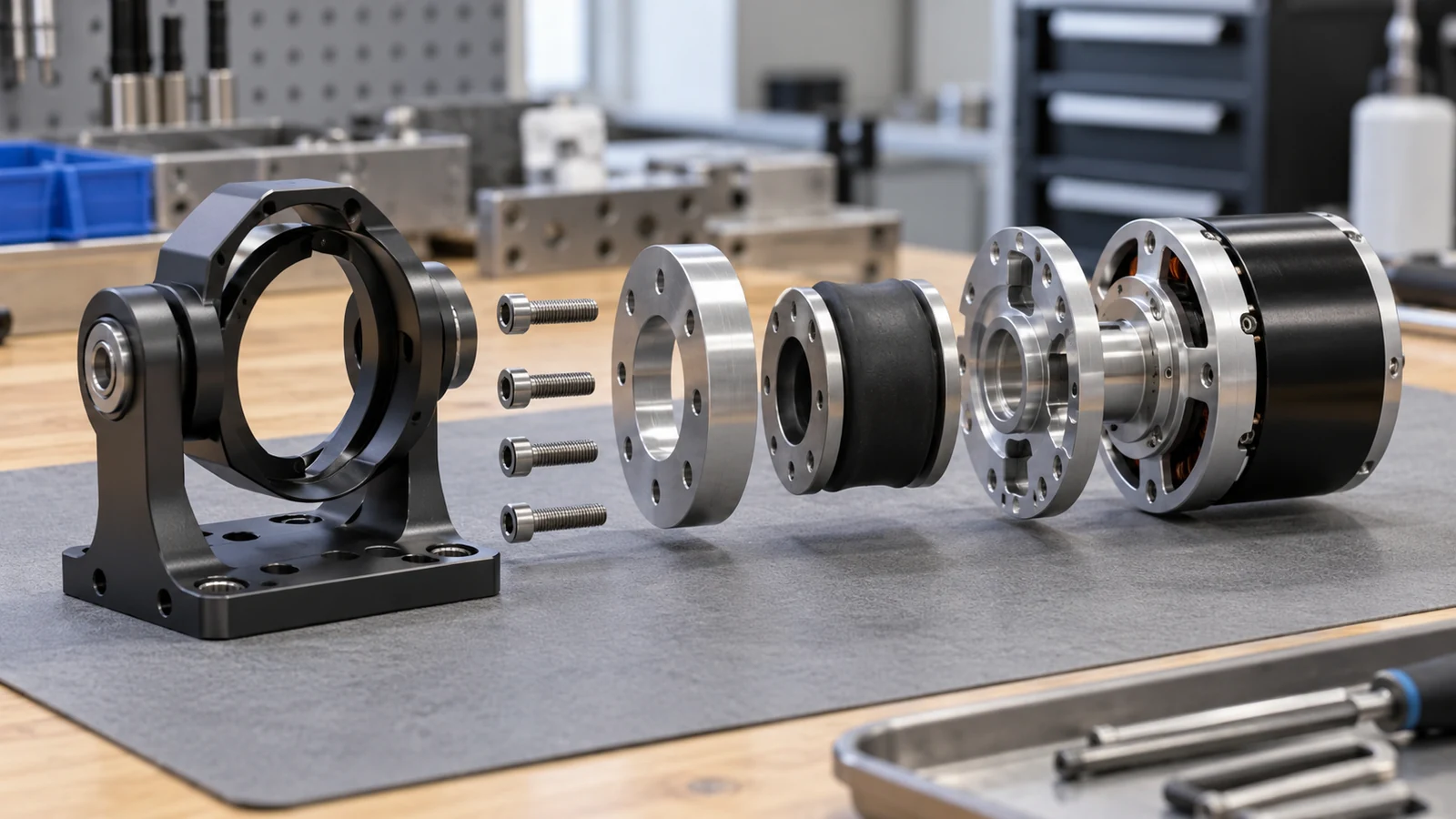
Where the mount contacts a compliant isolator or polymer interface, define which component controls location and how compression is managed. Do not rely on an unspecified pad to correct an inaccurate metal interface. If the design uses inserts, sleeves, or bonded elements, identify the installation sequence and whether inspection occurs before or after assembly.
Balance mass, stiffness, and machining access
Designers often remove material to reduce payload mass. Pockets and thin arms can be effective, but stiffness falls as sections become slender, and the part can become more sensitive to cutting forces and clamping. A lightweight mount that flexes under camera motion may transmit vibration or shift the optical axis. Structural behavior needs engineering analysis; manufacturing review can identify thin regions that complicate holding, tool access, and inspection.
Look for pocket layouts that leave stable locating pads around the interfaces. Keep enough material for fastener seats and bearing supports, and avoid narrow webs that are difficult to deburr or measure. Internal radii should be compatible with available tools, while relief features should not remove support from a critical load path. The right geometry depends on the required stiffness and environmental loading, not on a universal minimum wall value.
During roughing, consider how material removal may release stress or change the part’s stability. A staged route can preserve support until the major interfaces are established, then finish the lightened regions. For very early packaging checks, a printed or simplified mock-up may reveal collision and access issues, but it cannot prove the stiffness or vibration response of the final metal mount. The aerospace material selection overview can help structure the tradeoff discussion without replacing the approved design choice.
Select materials for the load path and interfaces
Choose material by the actual load, environment, mass target, temperature, corrosion exposure, and interface behavior. Aluminum alloys are common candidates for lightweight machined structures, but alloy, temper, stock form, and local section geometry still matter. Stainless steel or titanium may be considered when the program’s requirements call for different behavior. The article cannot determine which material is right for a particular aircraft or UAV platform.
Document whether prototypes use the intended material and condition. A polymer mock-up can validate camera envelope, cable path, and mounting access; it should not be represented as evidence of metal strength, fatigue behavior, vibration response, or thermal performance. If a bushing or wear surface uses a different material from the main mount, call out the interface and assembly method separately.
Surface finish can affect seating, friction, corrosion protection, and dimensional fit. Identify contact faces that must remain uncoated or be masked, and note which dimensions need a post-finish check. Keep the final acceptance tied to the drawing and program requirements rather than assumptions about what a particular finish normally changes.
Inspect the assembled relationship
A useful check sequence begins with the base interface, then evaluates pivot features and the assembled motion. Confirm the mounting face and hole pattern from the defined datums. Measure the axes or bearing seats using a method suitable for their geometry. If the mount uses two components, inspect the assembled alignment as well as the separate part dimensions.
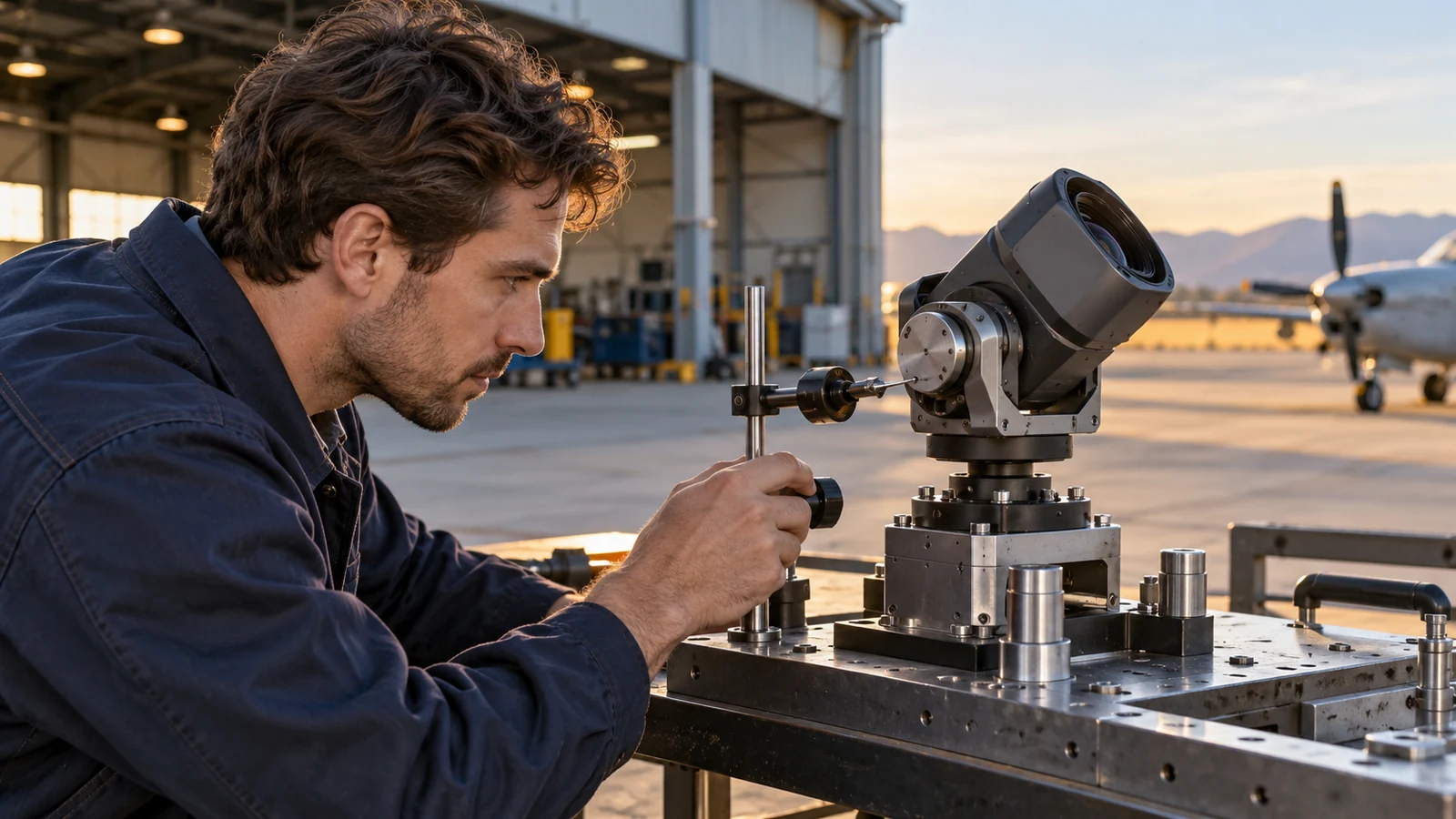
Check movement under a defined installation condition. A free-motion check should state whether fasteners are tightened, whether isolators are present, and what payload mass or dummy load is used. If the gimbal moves freely only when screws are loose, that is evidence of a stack-up or distortion question鈥攏ot a reason to widen tolerances without analysis.
Record the part revision, material, inspection setup, and assembly condition with the result. This makes comparisons between iterations meaningful. If a hole moves or a rib changes, the team can tell whether improved motion came from the design change or a different fixture, screw sequence, or test setup.
Turn a fit issue into a useful prototype loop
For the first build, list the unknowns the team wants to resolve: clearance at travel limits, fastener access, axis alignment, cable routing, or mount deflection under a defined load. Then choose a prototype process that can answer those questions. A quick physical model may be adequate for envelope and ergonomic checks; a machined metal prototype may be needed to study interfaces and assembly sequence. Neither should be credited with proving behavior it was not designed to test.
Keep the test repeatable. Use the same mating frame, fastener sequence, and measurement references when comparing revisions. Photograph or record contact marks and note where interference occurs. If the gimbal binds at one angular position, report the position and installation condition rather than describing the result only as “tight.”
After a design change, verify the full affected chain. Moving one pivot bore can alter clearance, camera balance, cable path, and motor access. The objective is not to eliminate all variation by adding more tolerances, but to control the few interfaces that determine alignment and motion while keeping the part manufacturable.
Troubleshooting questions
Why does the gimbal bind only after the mount is tightened?
Clamping may distort a thin section, pull a misaligned hole pattern into position, or compress an interface unevenly. Check the stack, locating datums, and tightening condition before attributing the issue to the actuator.
Can a printed mount validate camera stabilization?
It can help with envelope, access, or cable-routing checks. Unless the material and process are specifically representative and the test is defined accordingly, it does not establish metal stiffness, dynamic response, or flight performance.
Which dimensions deserve the tightest control?
Those that locate the gimbal axes, attach the mount to the airframe, and preserve required motion clearances. The design authority must set actual limits from system requirements and analysis.